GET READY FOR

A BETTER INTERNET EXPERIENCE

Installation

What To Expect Next

We’re excited to get you connected! While you wait for your installation appointment, our crews will be busy behind the scenes getting the network ready for your home. Here’s a look at what’s happening in your neighborhood before our technicians arrive at your door.
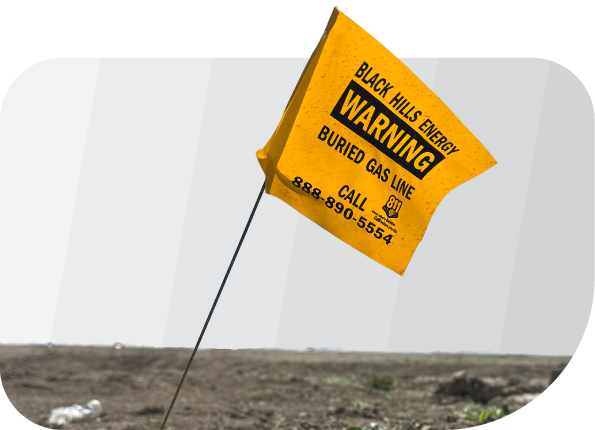
Yellow flag in dirt reads "Black Hills Energy Warning Buried Gas Line Call 888-890-5554," highlighting the presence of underground gas, fiber, or phone lines—call before digging to avoid disrupting essential services.

A round icon with vertical stripes in shades of green and blue, featuring a white number 1 in the center—perfect for highlighting fiber or wireless phone services.

Locates & Permitting

Why Is There Paint On The Ground?

Before we can dig, we have to know what’s under the surface. You’ll see colorful paint or small flags appear in your yard and along the street – these mark existing utilities lines and signal crews will begin work in several business days. Please leave these in place until our work is complete!

Construction Color Code

What Do The Colors Mean?

Red lightning bolt icon on a light gray background, representing the speed and power of business fiber connectivity.

Electric power lines

Yellow flame icon outlined above a rectangular base, resembling a stylized gas burner or flame symbol—perfect for illustrating energy or connectivity themes like business fiber—on a light background.

Gas, oil, or steam

Orange Wi-Fi signal icon with three curved lines above a small circle, displayed on a light gray background—ideal for representing wireless connectivity or business fiber services on your phone.

Communication, alarm, or signal lines

A blue outline of a water droplet with a small curved line inside, on a light gray background, symbolizing seamless wireless connectivity.

Potable water

Green outline icon of an industrial valve with a wheel handle, shown in a simple, minimalist style on a white background—ideal for illustrating wireless or fiber network infrastructure concepts.

Sewers and drain lines

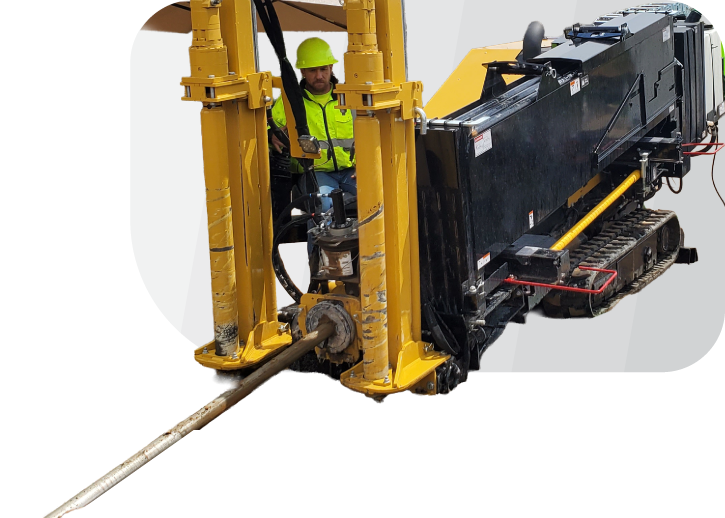
A construction worker wearing a yellow helmet and safety vest operates a horizontal directional drilling machine with a long metal drill, installing business fiber on a white background.

A white number 2 is centered on a circular background with green, blue, and teal vertical stripes, symbolizing seamless business fiber connectivity.

The Fiber Drop

What Are Crews Doing In My Yard?

Our crews will run a dedicated fiber line from the street to the side of your house. To do this, they may need to perform trenching or boring. You may see our crews in your yard or on the street during this process.

A construction worker wearing a yellow helmet and safety vest operates a horizontal directional drilling machine with a long metal drill, installing business fiber on a white background.

Our Restoration Promise

We treat your property like it’s our own – that means we’ll leave it as good as we found it (or better!). Once the line is buried, our teams work hard to restore any disturbed soil, grass, or other landscaping.

If something doesn’t look quite right after we’ve finished, please reach out to our local office so we can make it right.
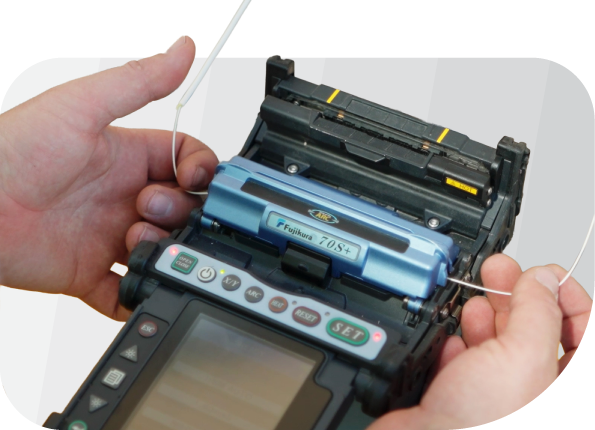
Hands operating a fiber optic fusion splicer, aligning two business fiber optic cables inside the device for splicing—essential for wireless and phone network connectivity.

A white number 3 centered on a circular background with vertical green, blue, and teal stripes, representing business fiber connectivity.

Splicing & Network Testing

The line is in your yard, but the light’s not on yet! Our technicians still need to splice the fiber at the hub in your neighborhood. This process joins fiber strands together to create a seamless light path. You might not even see us doing it – but it’s the final step before you’re ready for your in-home installation.

Pro Fiber Tip

Even if your “drop” is complete, the network may still be undergoing final testing. Don’t worry – we haven’t forgotten you! We’re just ensuring your connection is perfect before we flip the switch.
White icon of a house with three lines ending in circles inside, resembling a circuit board, representing smart home technology with wireless and fiber connectivity.
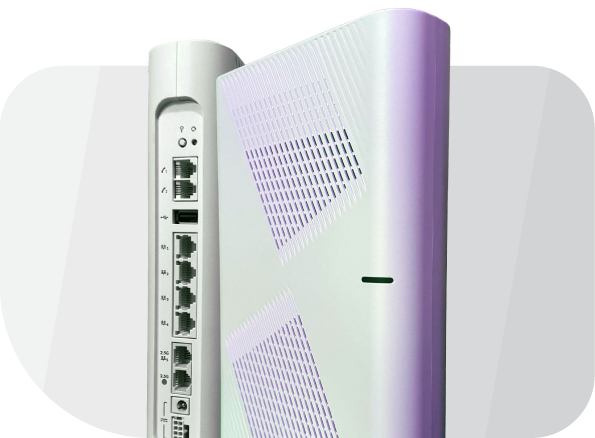
A white wireless router is shown standing upright, displaying its side vents and rear ports, including Ethernet, power connections, and a dedicated port for business fiber or phone line integration.

A white number 4 is centered on a circle with green and blue vertical stripes, symbolizing seamless Fiber and Wireless connectivity.

Your In-Home Installation

After the fiber is in place and spliced together, it’s time for your official install! Our local tech will come inside, set up your router, and make sure everything is running smooth.

Scheduling Your Installation

  • Already scheduled? You’re all set! Keep an eye out for a reminder text.
  • Waiting for a date? If we didn’t schedule your install at the time of your order, our local scheduling team will reach out as soon as your address is ready to be installed.
A white wireless router is shown standing upright, displaying its side vents and rear ports, including Ethernet, power connections, and a dedicated port for business fiber or phone line integration.

Pre-Fiber Checklist

Get Your Home Fiber Ready

Let’s get ready for installation day! 

Z

Pick a Spot

Identify a central location in your home with an available power outlet for your new fiber gear.

Z

Clear a Path

Make sure these areas where our techs will be working are easy to access:

  • The area around your desired router location
  • Crawlspace and/or attic entry points (if applicable)
  • The exterior location for your DMARC
Z

Check the Calendar

Make sure an adult (18+) is available to hand out with us for the duration of the appointment – usually 1 to 2 hours.

Z

Prep for Login

Consider what you want your new Wi-Fi network name and password to be. If you can’t think of anything, our techs can help!

A hand is placed over a heart shape, both outlined in white on a light background, symbolizing the wireless connections that bring us closer.

CONTACT US

Need A Hand?

Can’t find what you’re looking for? No problem – our friendly support team is always here to help. Whether it’s a quick question or a deeper dive, we’ve got real people ready to talk, troubleshoot, or walk you through it.

Visit Our Support Center

Call Icon

TEXT US

970.398.8710

Visit Us Icon

CALL US

Already using the Clearnetworx Connect app? You can contact our support team through your app too!

Frequently Asked Questions

What are crews doing in my yard?

We are burying conduit in approved utility easements. These easements allow us to access specific areas on private property where your other utilities are likely located.

Why is there paint in my yard?

Underground utilities must be located before digging. A local utility marker will mark them with flags or paint, which will dissolve over time.

Do you provide a Wi-Fi router?

Yes! We’ll provide you with a Wi-Fi 6 enabled X1 Router (at no additional cost!) that is completely managed and supported by our team! Forgot your password? We’ll reset it for you. Need help creating a new network? We’ll set it up for you. And of course, we’ll help you troubleshoot any problems with connectivity or speed.

Can I use my own Wi-Fi router?

Yes, you can use your own Wi-Fi router with our fiber internet service. However, we may be limited in the level of technical support we can provide for your personal router.

What is the coverage area of the provided X1 Router?

Our router covers homes up to 2400 square feet, but signal strength can be affected by factors such as walls, floors and other devices. Our install technicians will work with you to place the router centrally and minimize obstructions. If needed, a mesh unit can be purchased for $135 to extend your coverage.

Will you connect my devices to my new network?

If you need help connecting devices to your new network, we’re happy to help get your first two connected. Any further technical assistance will need to go through your IT company of choice.